
Issue security
Protect Jira templates and the issues they create with Jira's Issue Security scheme: configure security levels and control inheritance.
Why issue security matters for templates
Jira’s Issue Security scheme controls who can see and interact with a specific ticket. When a template captures sensitive defaults (a salary range, a customer’s internal escalation path, a regulated incident workflow), you typically want:
- The template itself to be visible only to a small group of admins.
- Tickets created from the template to either inherit that protection, or fall back to the project’s default security level, depending on the use case.
Process Templates for Jira respects Jira’s standard Issue Security scheme end-to-end. There is no parallel access-control system; the same scheme controls both.
Set up an Issue Security scheme
This is standard Jira admin work and only needs to be done once per project that holds protected templates.
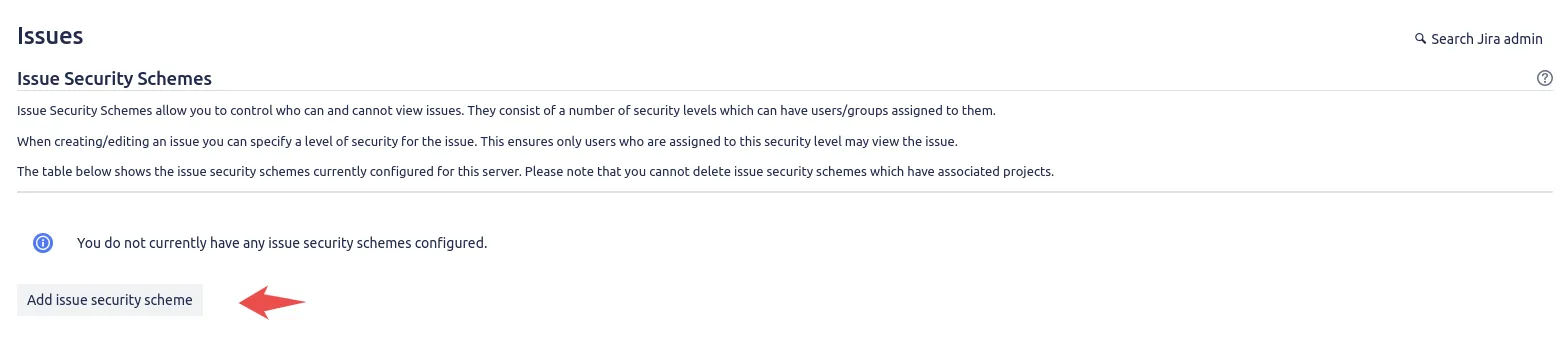
Open Issue Security Schemes
In Jira admin, pick Issues in the sidebar, then under the Security section pick Issue Security Schemes.
 The Issue Security Schemes page in Jira admin, reached from Issues then Security.
Add a new scheme
Click Add Issue Security Scheme. Give it a clear name (for example, “Template Library”) and a one-line description.
 The Add Issue Security Scheme dialog, where you name and describe the new scheme.
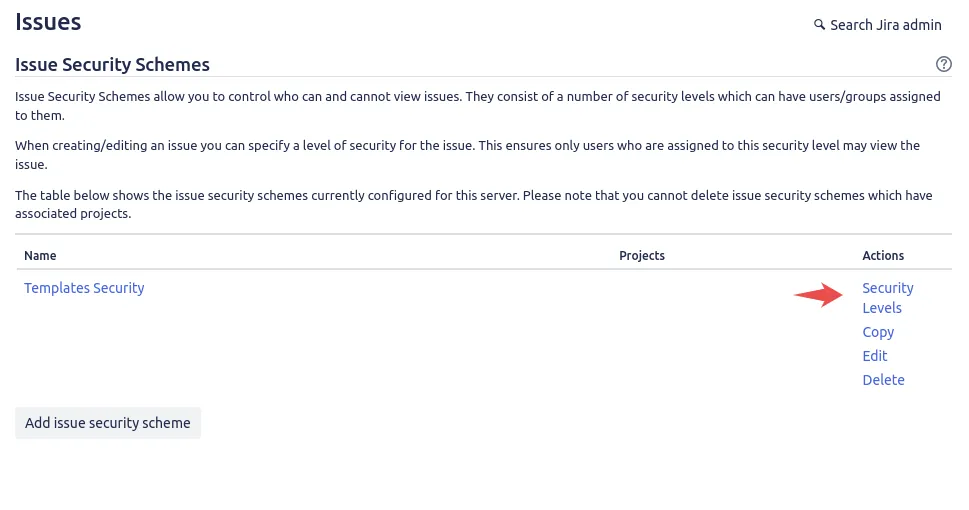
Define security levels
Click Configure next to the new scheme. Add the security levels you need: for templates, a common shape is two levels, “Template Admins” and “Template Users”.
 Adding security levels such as Template Admins and Template Users to the scheme.
Assign users to each level
For each level, click Add and pick the users, groups or project roles that should hold it. Save.
Apply the scheme to the project
Back on the Issue Security Schemes list, pick Actions → Associate Projects next to your scheme. Pick the project that holds the templates and click Associate.
Apply a security level to a template
On the template’s underlying issue:
- Edit the issue.
- Find the Security Level field.
- Pick the security level (for example, Template Admins).
- Save.
The template is now visible only to users who hold that security level.
A useful pattern: protect the template, but let users launch from it
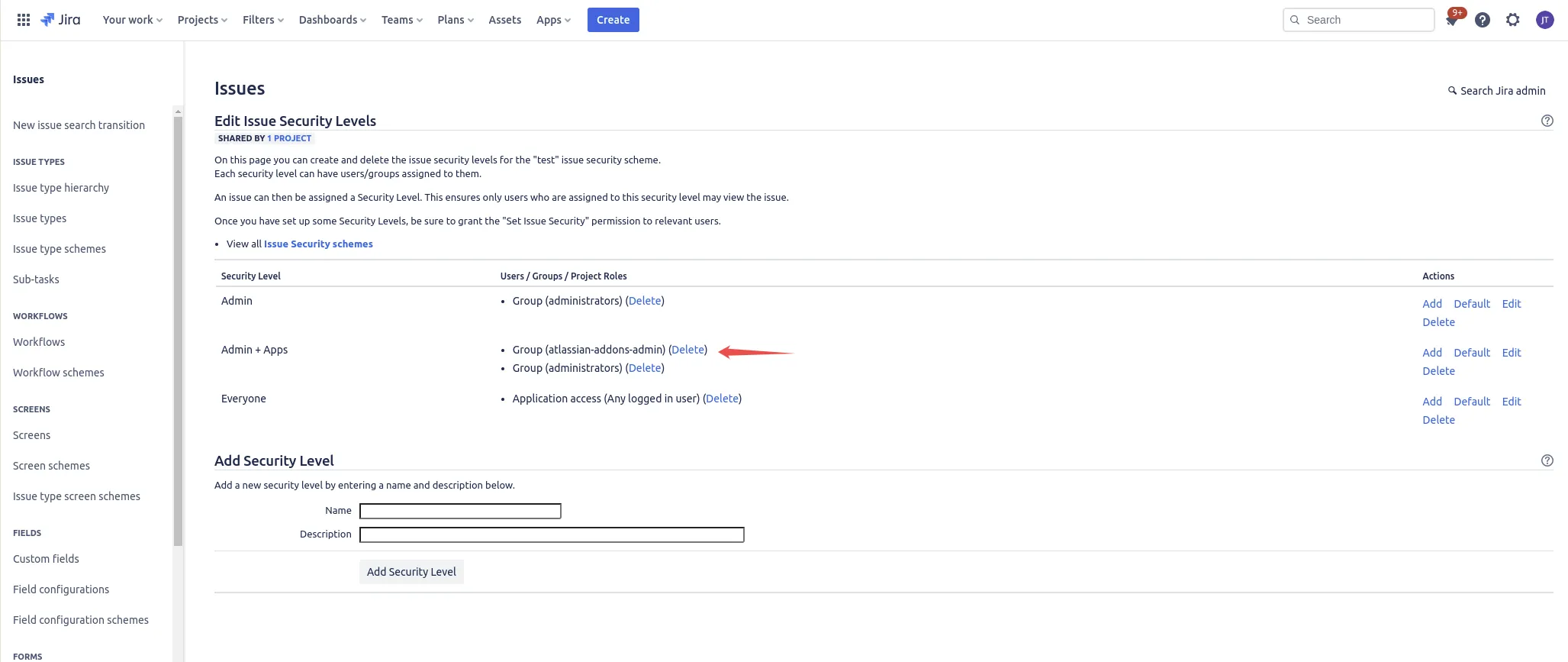
To keep the template invisible to normal users while letting them launch tickets from it, define a security level with two members:
- Yourself (the admin who manages the template).
- The Jira project role atlassian-addons-project-access.
The project role grants Process Templates for Jira the access it needs to read the template and create tickets, while the template itself stays invisible to everyone else.
 A two-member security level: the admin plus the atlassian-addons-project-access project role.
Inheritance: choose what gets the security level
In the advanced template editor, the Security Level field has two modes for templated issues:
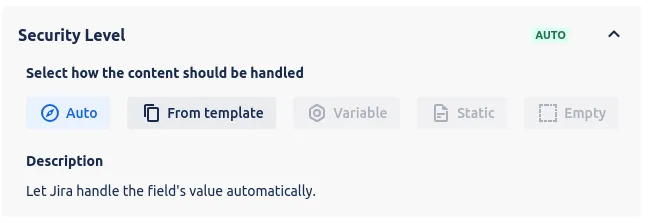 The Security Level field in the template editor, with Auto and From template inheritance modes.
- Auto: created tickets are launched without the Security Level field set. The project’s default security level (if any) applies. The template itself can still be protected, but the tickets it produces are visible to anyone with project access.
- From template: every created ticket inherits the same Security Level as the template. The same group that can see the template can see the tickets it produces.
Pick Auto when the template is sensitive but the tickets it produces are normal team work. Pick From template when the produced tickets carry sensitive defaults that should remain protected.
Related guides
- Handle permissions across projects and roles for the wider access-control picture.
- Read how Process Templates for Jira treats your data for the privacy and security model behind the app.
- Manage your template library to keep protected templates organised.
- Create issues from templates to see how launched tickets inherit settings.
Ready to template your Jira?
Install Process Templates for Jira on the Atlassian Marketplace. Free up to 10 users.