
How to write user stories in Jira: format, examples, and acceptance criteria
Learn how to write clear Jira user stories: the As a / I want / so that format, INVEST, real examples, acceptance criteria, and how to split big stories.
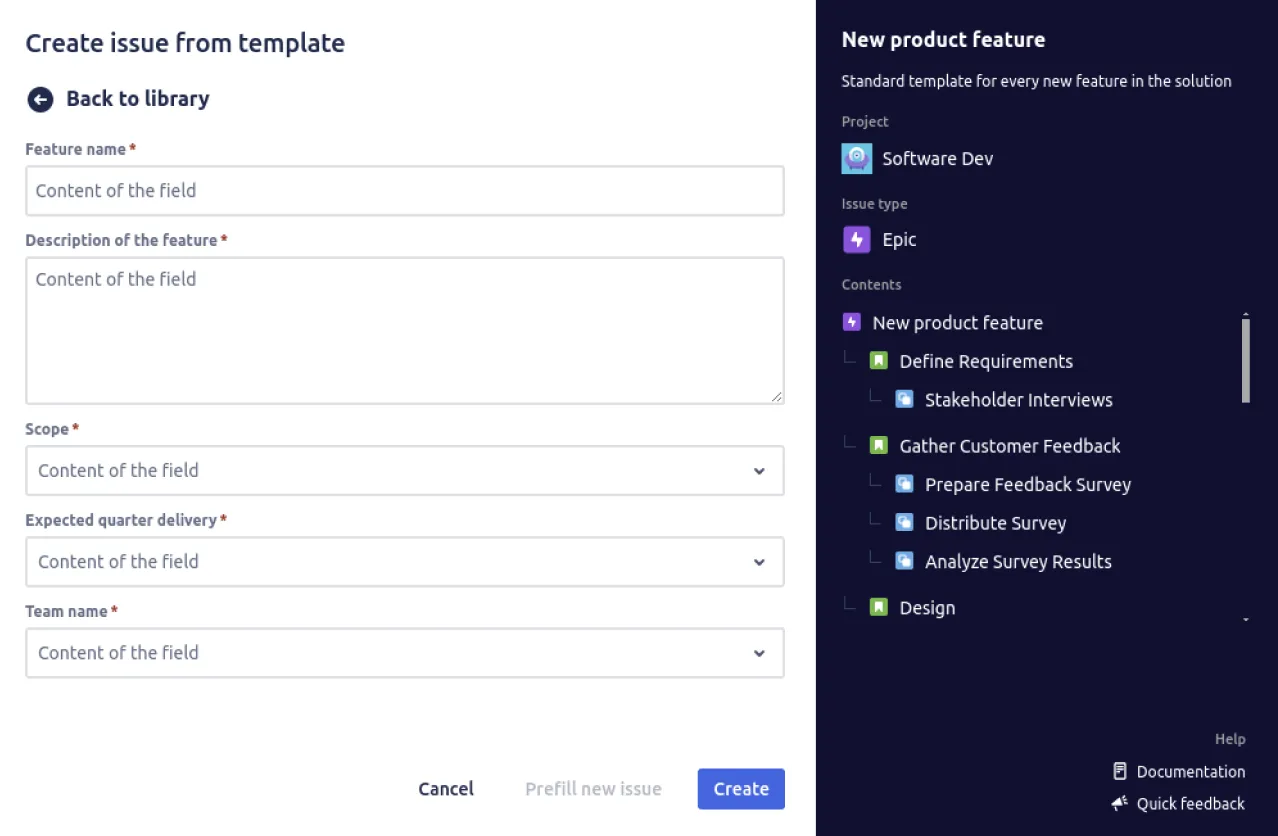
A user story should tell you, in one breath, who needs something, what they need, and why it matters. When every story on the board follows that shape, refinement gets faster, estimates get sharper, and fewer tickets bounce back from the “ready for dev” column with a comment that just says “needs more detail.” When stories drift into freeform notes, the opposite happens. This post covers what a user story is, the As a / I want / so that format, real examples of good and bad stories, how to write acceptance criteria, how to keep stories INVEST-ready, and how to split one that has grown too big to build.
If you’d rather start from a ready-made structure, grab the Jira user story template and adapt the examples below.
What is a user story?
A user story is a short description of a feature written from the end user’s point of view. It states who the user is, what they want to do, and the value they get from it. Stories are a core unit of work in Agile teams because they keep the conversation anchored on outcomes rather than implementation detail.
The classic shape is:
As a [type of user], I want [an action] so that [a benefit or value].
A useful way to remember what a story is for is the three C’s:
- Card. The short written story itself, small enough to fit on an index card or a board card.
- Conversation. The refinement discussion the card triggers, where the team works out the detail together.
- Confirmation. The acceptance criteria that confirm the story is done.
The card is deliberately small because a story is a placeholder for a conversation, not a finished specification. The point is not to specify the build up front, it is to capture intent clearly enough that the team can have the right conversation and agree on acceptance criteria together. A story usually sits under a parent epic template, which groups related stories around a larger goal.
The user story format: As a / I want / so that
Three clauses do all the work. Each one answers a different question:
- As a [role] names who needs the outcome. Make it a real end user (a shopper, a registered user, a support agent), not “the system” and not “a developer.”
- I want [an action] states what they want to do. Describe the need, not a particular screen or button.
- so that [a benefit] explains why it matters. This is the clause most teams get lazy about, and it is the one that justifies the work and shapes the acceptance criteria.
Here is the format as a clean, copy-paste block:
As a   [type of user]
I want [an action]
so that [a benefit or value]
When the benefit feels hard to articulate, try the value-first variant, which forces you to lead with the outcome:
In order to [achieve some value]
As a       [type of user]
I want      [an action]
If you cannot finish the “so that” clause honestly, that is a signal the work might not be worth doing, or that you have not understood the user’s real need yet.
User story examples (good vs bad)
The fastest way to learn the format is to see it fail. Each row below shows a weak story, why it falls down, and a rewrite that a team could actually pick up.
| Bad story | Why it fails | Rewritten good story |
|---|---|---|
| ”As a user, I want a login page.” | No benefit clause; nobody knows why it matters. | ”As a registered user, I want to log in with my email and password so that I can access my saved data." |
| "As a product owner, I want a faster checkout.” | Wrong persona; the PO is not the end user who feels the pain. | ”As a returning shopper, I want to check out without re-entering my address so that I can buy in fewer steps." |
| "Add a blue ‘Submit’ button to the form.” | A solution disguised as a story; it describes the UI, not the need. | ”As an applicant, I want to submit my completed form so that the team receives my request." |
| "As a customer, I want a great shopping experience.” | Too big; this is an epic masquerading as a story. | ”As a customer, I want to filter products by size so that I only see items I can actually buy." |
| "As a user, I want the app to be fast.” | Untestable; there is no condition that says when it is done. | ”As a user, I want search results to load within two seconds so that I do not abandon the page.” |
Three full worked examples, written out with role, goal, benefit, and a couple of acceptance criteria each:
Project manager, progress report
As a   project manager
I want to generate progress reports
so that I can keep stakeholders informed about project status
Acceptance criteria: a report can be exported as PDF; the report shows percentage complete per workstream.
Registered user, login
As a   registered user
I want to log in with my email and password
so that I can reach my account and saved data
Acceptance criteria: valid credentials open the dashboard; invalid credentials show an error without revealing which field was wrong.
Customer, checkout
As a   customer
I want to pay for the items in my cart
so that I can complete my purchase
Acceptance criteria: a successful payment creates an order and shows a confirmation; a declined card keeps the cart intact and shows a clear retry message.
Make stories INVEST-ready
Before a story leaves refinement, run it through the INVEST checklist. It is the quickest way to catch a story that is going to cause trouble later:
- Independent. It can be built and shipped on its own, without waiting on another story.
- Negotiable. It captures intent, not a frozen contract; the details stay open for the team conversation.
- Valuable. A real user gets a real benefit, which is exactly what the “so that” clause should prove.
- Estimable. There is enough detail for the team to story-point it. If you cannot estimate it, you are missing information.
- Small. It fits comfortably inside one sprint. If it does not, split it (see below).
- Testable. It has acceptance criteria you can actually verify, so “done” is not a matter of opinion.
Treat INVEST as a refinement checklist, not a grading exercise. A story that fails one letter is not wrong, it is just telling you what to fix before it reaches the board.
Writing acceptance criteria (Given / When / Then)
Acceptance criteria are the confirmation part of the three C’s: the conditions that have to be true for a story to count as done. The clearest format is Given / When / Then:
- Given a starting context or state.
- When the user takes an action.
- Then the expected outcome occurs.
Take the login story and write its criteria as copy-paste blocks:
Given I am a registered user
When  I enter my correct email and password
Then  I am taken to my dashboard
Given I am on the login page
When I enter an incorrect password
Then I see an "invalid email or password" message and stay on the pageGiven I am on the login page
When I submit the form with empty fields
Then each empty field is highlighted with a "required" messageFor simpler stories, a plain checklist of conditions works just as well; not every story needs the full Given / When / Then ceremony. In a Jira issue, acceptance criteria usually live in the description field or as a checklist, right next to the story text so the developer and the reviewer read them in the same place.
How to split a user story that’s too big
If a story fails the “Small” test in INVEST, split it so each slice still delivers value on its own. A handy pattern is SPIDR:
- Spike. Carve out a short research task when uncertainty, not size, is the real problem (for example, “investigate which payment provider to use”).
- Path. Split by the different routes through the feature. A checkout splits cleanly by payment method: card first, then wallet, then bank transfer.
- Interface. Split by the different ways users reach the feature, for example web before mobile.
- Data. Split by data type or scope, for example support one currency before all of them.
- Rules. Split by business constraint, shipping a basic rule first and the edge cases later.
The goal of every split is a vertical slice that a user can feel, not a horizontal technical layer. Two thin end-to-end stories beat one giant story every time.
Common user story anti-patterns
A few smells show up again and again. Each has a one-line fix:
- Writing everything as a story. Pure technical work and spikes do not always fit the user-story shape; do not force them. Fix: use a task or spike when there is no end-user benefit to state.
- Acceptance criteria that describe appearance, not behaviour. “The button is green” is not a criterion. Fix: describe what happens, not how it looks.
- Stories written in isolation. A story drafted with no team conversation skips the whole point of the three C’s. Fix: refine it together before it reaches the board.
- Over-detailed up-front specs. A story crammed with implementation detail stops being negotiable. Fix: capture intent and let the team work out the how.
- Horizontal, technical-layer splits. “Build the database, then the API, then the UI” delivers nothing until the last slice lands. Fix: split vertically with SPIDR so every slice works end to end.
Writing a user story step by step
Pulling the pieces together, here is the sequence for turning a vague request into a build-ready story:
- Identify the end user. Name the real person who needs the outcome, the role in the As a clause. It should be an end user of the product, not a developer or a product owner.
- State the goal. Write the action that user wants to take, the I want clause. Describe the need, not a screen or a button.
- Add the benefit. Capture the value behind the goal, the so that clause. This is the clause most teams skip, and it is the one that justifies the work.
- Write acceptance criteria in Given / When / Then. Spell out the conditions that make the story done: Given a context, When an action happens, Then an outcome follows. Cover the happy path and the obvious errors.
- Check it against INVEST and split if too big. Run the story through Independent, Negotiable, Valuable, Estimable, Small, Testable. If it is too big to finish in a sprint, split it with SPIDR.
- Create it in Jira from a reusable template. Capture the role, goal, benefit, and acceptance-criteria fields once in a reusable story template so every new story starts in the same shape.
Use a ready-made user story template in Jira
A consistent format pays off in real ways: refinement runs faster, stories are comparable across the backlog, and acceptance criteria are present by default instead of by reminder. The trouble is that the format only helps if everyone actually uses it, and people drift the moment it depends on memory. The fastest way to make it stick is to bake the shape into a reusable template.
Jira does not ship a native template system for issue bodies, which is the gap Process Templates for Jira fills. Open the Jira user story template in Process Templates for Jira to create stories with the role, goal, benefit, and acceptance-criteria fields pre-filled, so every author starts from the same structure and only fills in what is specific to their story.
Two capabilities make this go further. Dynamic variables let the author fill in the role, a priority dropdown, or a target sprint at create time while the rest of the template stays fixed. Hierarchical templates let you capture an Epic together with its child stories and sub-tasks in one go (Epic to Story to Sub-task), so a whole structure spins up at once. The step-by-step setup lives in our guide to creating issue templates, and if this is your first one, getting started walks through installation and your first template end to end. For the day-to-day create flow, see creating issues from templates. If you want the broader case for standardising issues across a team, our piece on how Jira ticket templates save hours each week puts numbers around the time savings.
Putting it into practice
Writing good user stories is a small change with an outsized effect on how a team communicates. A clear role, goal, and benefit means less time spent decoding tickets; acceptance criteria in Given / When / Then mean fewer “is this done?” arguments; and an INVEST pass means fewer stories that stall halfway through a sprint. In the end a story is judged by the conversation it starts and the build it enables, not by how neatly it is formatted.
Process Templates for Jira is built on Atlassian Forge, is Cloud Fortified, and is used by more than 400 teams. It is free for up to 10 users, with a 30-day trial above that and no credit card required. You can install it from the Atlassian Marketplace, open the Jira user story template as a starting point, and have a standard user story shape live across your boards the same afternoon.
Frequently asked questions
What is the format of a user story in Jira?
What makes a good user story?
How do you write acceptance criteria for a user story?
Can you give an example of a Jira user story?
How do you split a user story that is too big?
Does Jira have a built-in user story template?
Found this helpful? Share it.
Ready to template Jira tickets?
Install Process Templates for Jira from the Atlassian Marketplace. Free up to 10 users, 30-day trial above that.